
5 Common DTF Printing Mistakes Screen Printing Shops Make and How to Prevent Them
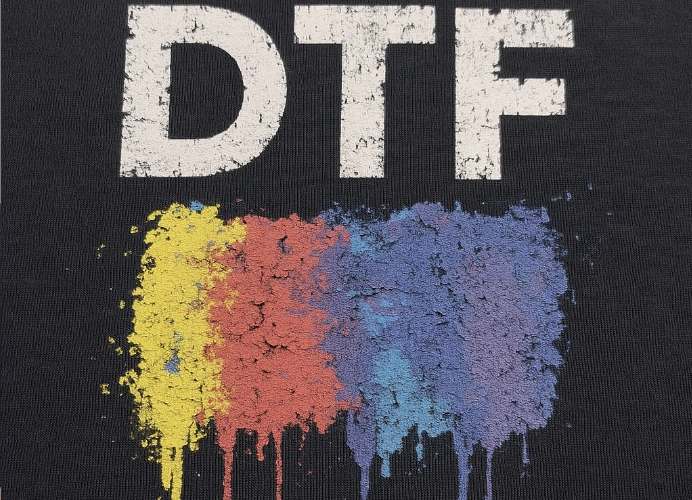
In an era of intense competition in the screen printing business, DTF (Direct-to-Film) printing technology has emerged as a tool that enables entrepreneurs to create high-quality works, print on various fabrics, and achieve sharp details. However, behind this beauty, there are often minor errors that can become major problems, leading to wasted time, lost costs, wasted materials, and most importantly, “loss of customer trust.”

This article will take you through a deep dive into the five most common errors in the DTF working process, along with professional advice on prevention and resolution, to ensure your shop consistently delivers quality work, reducing hidden costs from errors, and enabling sustainable growth.
1. Inadequate Management of Humidity and Temperature
DTF film and adhesive powder are highly sensitive to humidity. If the heating is insufficient, the adhesive powder will not melt, causing the print to not adhere to the shirt. If the heating is excessive or too hot, it can result in yellowing of the print and fading of the ink. Therefore, it is essential to use a heating device that accurately controls temperature. Before starting work, test by ironing on a scrap piece of fabric; if it peels off easily and adheres firmly, the duration is correct.
Another issue is the clumping of adhesive powder when the air is too humid. The powder absorbs moisture, causing it to clump into small particles. When these particles clump together, they do not spread evenly on the film, leading to areas where the print does not adhere to the shirt.
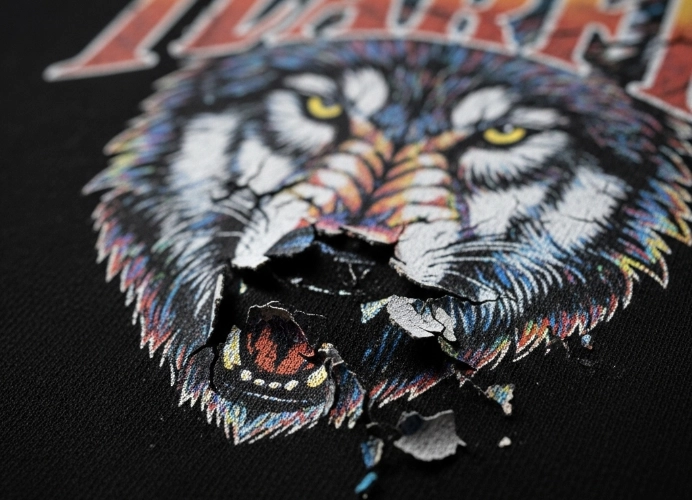
Blurred ink, high humidity can cause the ink printed on the film to dry slower than usual, leading to seepage or blurring, resulting in unclear print edges.
Warping of the film, frequent changes in temperature and humidity can cause the film sheet to warp or bend slightly, affecting the accuracy of the printing.
Prevention and Resolution Methods
Control the environment by using air conditioners or dehumidifiers to maintain a constant level of humidity, especially during the rainy season.
Proper storage, store DTF films in sealed envelopes or boxes, do not leave them exposed to the air.
Store adhesive powder in a container with a tight lid, take out only the amount needed for use, do not leave it exposed in the powdering tray overnight.
2. Neglecting to Prepare Print Files Properly
The phrase “Garbage In, Garbage Out” is always true in digital printing. No matter how good your printer is, if your original file quality is poor, the output will never look good.
Problems arising from using low-quality files include:
-
Blurry images: Using files with low resolution (below 300 DPI) and enlarging them for printing on shirts will result in pixelated images that are clearly visible.
-
Color distortion: Files in RGB mode (for screen display) but printed in CMYK mode can result in colors that are washed out or different from what is seen on the screen. Care must be taken with color modes.
-
Background bleed: When customers send JPG files without completely removing the background, the printer will print the background as well, making the file unusable.
Prevention and Solutions
-
Set file standards: Clearly define and inform customers about the file types your shop accepts, such as PNG (transparent background), AI, EPS, with a resolution of 300 DPI or higher. Ensure that no background color is included.
-
Create templates or checklists: Develop sample files or checklists to review files before printing, such as checking if the size is correct, if the resolution is at least 300 DPI, and if the background is truly transparent.
-
Pre-flight check: Open the file in an image editing program to zoom in and check the clarity of the work before printing, and verify the color mode. If it is in RGB, convert it to CMYK for colors that closely match the printed output.
3. Neglecting Printer Maintenance and Material Quality
A DTF printer is like the heart of a shop. Failing to maintain it regularly is counting down to major problems, as repairs are costly and can lead to missed opportunities for work.
If you neglect printer maintenance, you will likely encounter these issues:
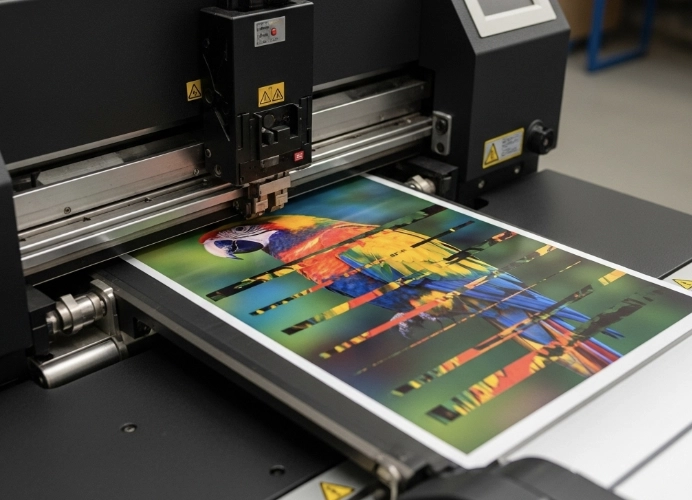
Clogged print heads, a classic DTF problem, especially with “white ink.” White ink tends to clog more than other colors due to its high density and tendency to settle. If the printer is not used regularly or lacks a good ink circulation system, the print heads will clog, leading to poor or streaky white prints. In DTF systems, white ink is printed first as the bottom layer before the actual colors. If the white ink layer is misplaced or too thin, it can cause color distortion, fabric bleeding, or a faded look. It’s important to check the color profile (ICC Profile) to ensure it matches the ink and film being used.
Inconsistent color output results from using low-quality ink, mixing different brands of ink, or using old ink, causing inconsistent tones in the same print job.
Easy-to-peel prints result from using poor quality adhesive powder or film, leading to poor adhesion between the ink and fabric, causing the print to peel after a few washes.
Using cheap film or low-quality ink may cause issues such as prints peeling after washing, color fading, or cracking after ironing. Therefore, it’s important to choose DTF film that has been quality certified, use ink that is compatible with your printer and film, and test each new batch of materials.
Prevention and Solutions
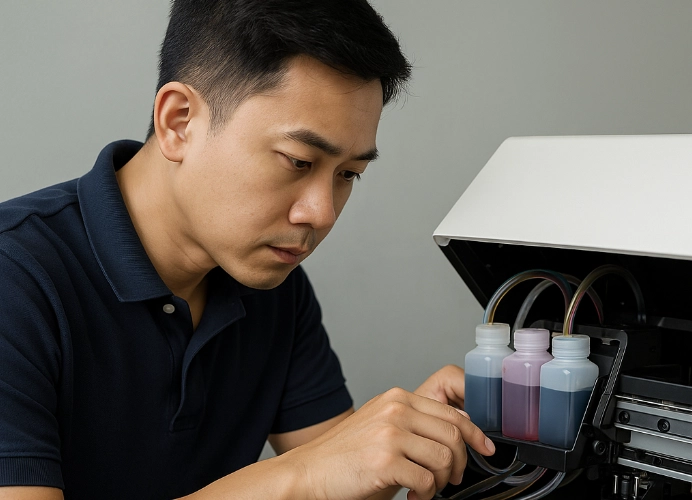
Create a daily/weekly maintenance schedule
Daily: Clean the print heads (Cleaning) before and after work, clean the capping station and wiper blade.
Weekly: Perform a full system print head cleaning (Head Flush), check ink tubes and ink cartridges for damage.
Shake the white ink cartridges daily. Before turning on the printer, take out the white ink cartridges and shake them gently for 15-20 seconds to disperse settled particles.
Choose quality materials. Don’t skimp on ink, film, and adhesive powder that are unusually cheap. Purchase from reliable suppliers and use materials that are compatible with your printer. High-quality DTF film, adhesive, and ink help ensure sharp and long-lasting prints.
4. Steps for Applying Powder Adhesive and Incomplete Baking
This step is specific to DTF and directly affects the “feel” (Hand Feel) and “durability” of the print.
If the powder adhesive is not evenly applied, the print will adhere inconsistently to the fabric, causing “spots” or “half-peeling.” Therefore, it is essential to shake the powder adhesive thoroughly to distribute it evenly over the film immediately after printing. Gently tap the film to ensure the powder adheres to the entire ink area. For large-scale work, it is advisable to use an automatic powder adhesive applicator.
Problems arising from this step include:
- The print is stiff and inflexible, resulting from applying too much powder adhesive, which makes the print become a thick plastic sheet when heat pressed.
- The print is uneven or partially adhered, caused by applying too little powder adhesive or tapping off excess powder too vigorously, leaving areas without adhesive to bond.
- Under-baking or over-baking
Under-baking (Under-curing) occurs when the temperature is too low or the time is too short, causing the powder adhesive to not fully melt, resulting in a sandy texture. When heat pressed, the print will not adhere to the fabric.
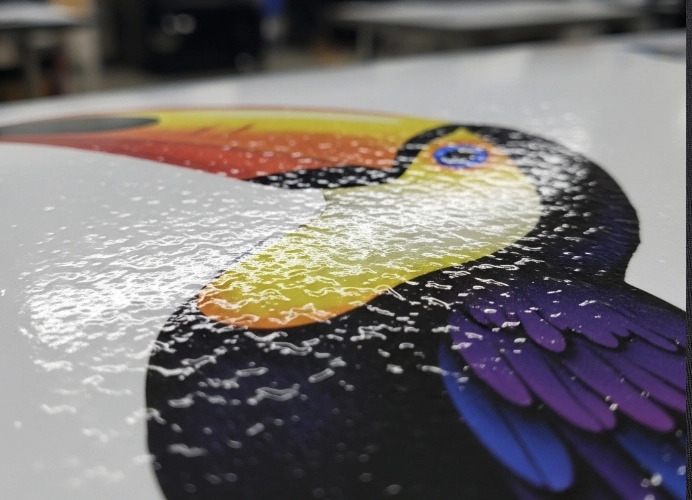
Over-baking (Over-curing) happens when the temperature is too high or the time is too long, causing the ink’s oil to evaporate, creating an effect similar to “orange peel” and potentially causing color distortion.
Prevention and Solutions
Apply the powder adhesive evenly, gradually covering the entire film, then lift the film and gently tap to remove excess powder, leaving only the powder adhered to the ink.
Control the baking process accurately, strictly following the manufacturer’s instructions for the film and powder adhesive. The appropriate DTF baking temperature is generally around 120-150°C, and the melted adhesive should be smooth, not sandy, and not overly glossy or orange-peel-like.
Store used powder adhesive in a dry place and keep it tightly sealed; do not reuse old powder multiple times.
5. Heat Press Techniques That Go Wrong
This is the final stage that determines whether all the work done will succeed or fail. A small mistake can ruin an entire shirt, so it is a step that requires extreme caution. Even if the print looks beautiful, if the heat pressing is done incorrectly, such as not pressing hard enough, pressing too quickly, or peeling the film while it is still hot, it can cause the design to peel off, fade, or not adhere properly.
Problems that arise from the heat pressing stage include:
-
Burnt or discolored ink: Using too high a temperature for the type of fabric. Each fabric type should not use the same temperature, especially polyester, which is sensitive to heat, can cause permanent color changes in the fabric (Dye Migration).
-
Screen print not adhering properly: Using insufficient pressure or pressing for too short a time, causing the adhesive to not penetrate the fabric properly.
-
Film peeling and design coming off: A major problem caused by not understanding the type of film used, whether it is “hot peel” (Hot Peel) or “cold peel” (Cold Peel). If used incorrectly, the screen print will come off with the film. Therefore, it is important to read the manual or ask the manufacturer for instructions.
Prevention and Solutions
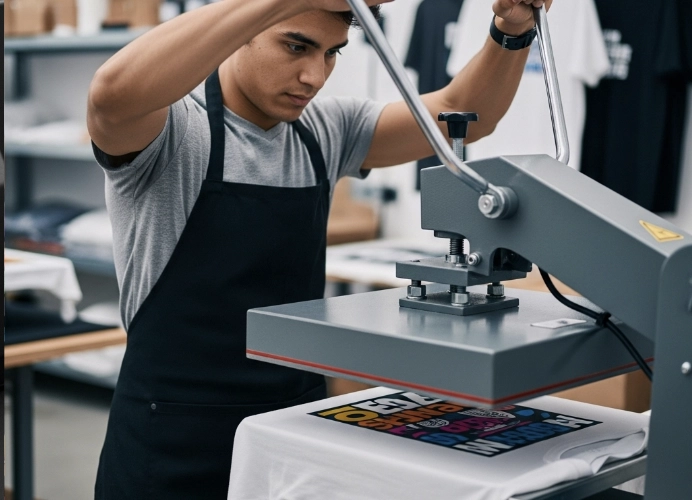
Understand the relationship between temperature, time, and pressure. Study the specifications of each type of film and fabric and set the appropriate settings, such as cotton being more heat resistant than polyester.
Use a Teflon sheet to cover the film before pressing to prevent direct heat and ensure even heat distribution.
Check the type of film peeling. Ask the supplier to ensure that the film used is either hot peel, warm peel, or cold peel, and follow the instructions strictly.
Cold Peel (Cold Peel): Must wait until the item is completely cool before peeling off the film.
Hot Peel (Hot Peel): Can peel off the film immediately after pressing.
A second pressing (Second Press) is also important. After peeling off the film, place a Teflon sheet or wax paper over the screen print and press again for about 5-10 seconds. This will increase durability and make the print surface smoother against the fabric.
Many people think that DTF is just print-press-finish, but in reality, it requires attention to detail in every step, from material selection, printing white ink, applying adhesive, curing, and pressing. Every step is interconnected.
Success in the DTF shirt printing business does not depend solely on the price of the printer but also on attention to detail in the entire process, from file preparation, environmental and equipment maintenance, to curing and heat pressing techniques. Learning to prevent these mistakes not only reduces waste and saves costs but also establishes quality standards that make the shop stand out and earn customer trust in the long run.
If your shop can avoid these 5 mistakes, it will help produce beautiful, sharp, and durable prints that customers will love, reduce waste, and save costs. Remember, “good work” comes from “good systems” and “discipline in precise repetition.”
Ready to Print Custom DTF with Screen168 Bangkok?
Single pieces to bulk wholesale. Free artwork file check and instant online pricing 24/7.
🚀 View Sizes, Prices & Order Online→