How to Design Custom T-Shirts Online for Free (No Watermark, No Sign-Up) with Screen168 Studio
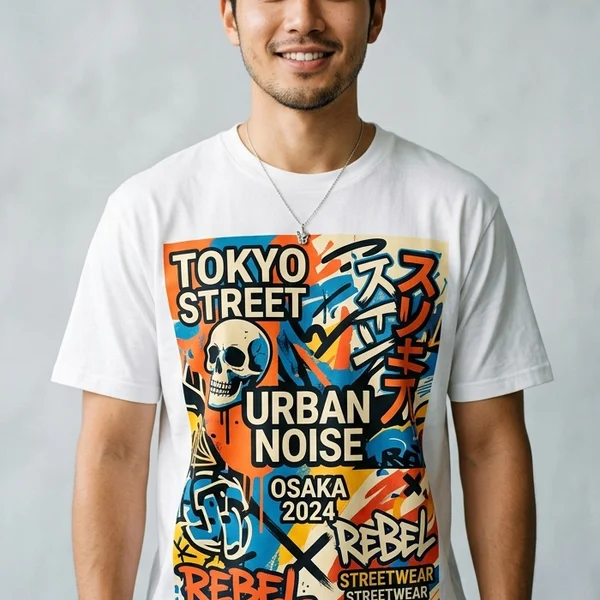
Planning team shirts, event uniforms, or launching your own streetwear drop—but tired of guessing print sizes or paying for mockups covered in giant watermarks?
With the Screen168 Free Online T-Shirt Designer, anyone can upload artwork, test 44 real 100% combed cotton colors, inspect automatic 300 DPI & mist-edge checks calibrated on a standard Size L (40” chest) canvas, and download clean, zero-watermark PNG mockups without even creating an account first.
5 Reasons Screen168 Studio Beats Generic Mockup Apps
Generic graphic tools guess percentages on generic templates. Screen168 Studio is built directly on top of our Bangkok DTF factory’s 61 cm wide film roll calibration and actual blank shirt chest measurements:
- 100% Free & Zero Watermarks — Design freely on phone or desktop and export clean 900×900 px PNG mockups ready for team votes or pre-orders.
- True-Scale Visual Proportion — Preview realistic artwork placement across Front, Back, Left Sleeve, and Right Sleeve calibrated to factory garments.
- Browser WASM Auto-Trim & 300 DPI Guard — Empty transparent padding is stripped locally in milliseconds, and low-resolution (<150 DPI) or semi-transparent mist-edge hazards are flagged instantly.
- 44 Real Cotton Colors + Melange Texture — Inspect real garment photography inside the color modal alongside accurate Top-Dyed heather previews.
- Standard Size L Master Calibration + Auto S–4XL Scaling — Design on an intuitive Size L (40” chest) base canvas while Screen168 automatically scales logo proportions for every shirt size from S to 4XL.
Step 1: Prepare & Upload Your Artwork
For ultra-sharp DTF transfers with zero box borders:
- Best format: Transparent PNG at 300 DPI (1,500–3,600 px width recommended for chest/back prints).
- Avoid flat white-background JPEGs unless you intentionally want a rectangular block printed on the garment.
- Read our detailed prep checklist here: How to Prepare Sharp Artwork Files for DTF Printing.
Step 2: Position, Scale, Pick 44 Colors & Download Clean PNGs
Open Screen168 Free Designer (or /member/?tab=design):
- Switch Garment Faces: Choose หน้า (Front), หลัง (Back), ซ้าย (Left Sleeve), or ขวา (Right Sleeve).
- Upload Artwork: Click the blue brush button (top-left of the shirt canvas) to upload one or multiple designs.
- Drag, Resize & Rotate: Drag logos on the shirt, use the right vertical slider to resize (watch instant DPI & edge warnings), use the left slider to rotate (0°–359°), or click the center-align icon.
- Select Any of 44 Shirt Colors: Tap the color swatch pill in the top-right corner of the shirt frame to preview colors and open real shirt photos.
- Export Free Without Watermarks: Designed cleanly at standard Size L scale—hit “ดาวน์โหลดรูปตัวอย่างเสื้อฟรี (ไม่ติดลายน้ำ)” to save a crisp PNG mockup with zero watermarks.
Step 3: Pick Colors & Size Quantities (S – 4XL)
Advance to Step 2 to add multiple shirt colors for the same print layout (e.g., Black + White shirts for staff vs. guests) and enter quantities per size (S through 4XL). Pricing stays hidden in guest browsing mode so teams can share design tasks freely.
Step 4: One-Click Login to Reveal Instant Tiered Pricing (Zero Draft Loss)
When you reach the Summary screen, click “เข้าสู่ระบบ … เพื่อดูราคาทันที” (LINE, WhatsApp, or SMS OTP):
- Your placed artwork blobs, coordinates, shirt colors, and size counts are safely stored in your browser’s
IndexedDBbefore redirect. - Immediately after login, Screen168 Studio restores your exact draft and unlocks real 61 cm DTF gang-sheet pricing (including free bonus filler pieces packed into spare roll space) + blank shirt & heat press totals.
Standard Print Placement Cheat Sheet
| Placement | Recommended Width × Height | Ideal Use Case |
|---|---|---|
| Left Chest / Sleeve | 8 × 8 cm – 10 × 10 cm | Company polos/tees, cafe uniforms, minimal brands |
| Inside Neck Tag | 6 × 6 cm – 8 × 8 cm | Custom neck branding and size labels |
| Standard Front (A4) | 20 × 28 cm | Event merch, team shirts, balanced all-size graphics |
| Oversized Back (A3) | 28 × 40 cm – 32 × 45 cm | Streetwear hoodies, heavy cotton statement art |
Ready to try it? Launch the Free Online T-Shirt Designer right now—no sign-up required!
Ready to Print Custom DTF with Screen168 Bangkok?
Single pieces to bulk wholesale. Free artwork file check and instant online pricing 24/7.
🚀 View Sizes, Prices & Order Online→