
What is a Color Profile? Why DTF T-Shirt Printing Needs ICC Profiles for Accurate Colors
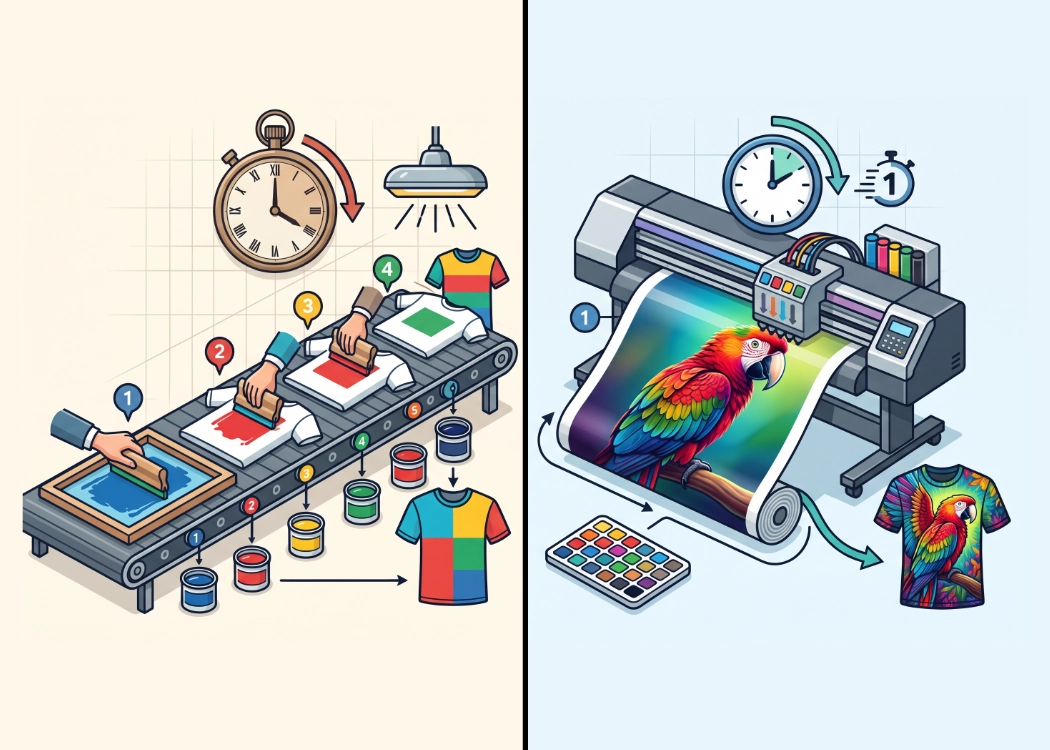
Have you ever wondered why the colors on your computer or iPad screen look vibrant and beautiful when designing a DTF T-Shirt Print, but the actual printed garment ends up looking duller or darker than expected? This issue isn’t always due to the shirt or a printer error; it often stems from the “Color Profile” or color management profile.
Today, at Screen168, we delve into what Color Profiles are, why digital DTF printers need to set specific ICC Profiles, and how we maintain color standards to ensure our customers receive prints that are as color-accurate as possible.
What is a Color Profile? Understand in 1 Minute
A Color Profile or ICC Profile is a set of standardized numerical data that acts like a “dictionary for color translation” between different devices, such as:
-
Input Devices: Computer screens, mobile phones, tablets, or cameras that display colors using the RGB (Red, Green, Blue) system.
-
Output Devices: Digital DTF printers that print designs using CMYK (Cyan, Magenta, Yellow, Key/Black) ink.
Since screens can display a wider range of colors (Color Gamut) than actual printed ink, without proper color profile conversion, the printer wouldn’t know how much of each CMYK ink to mix for a given RGB code, leading to inaccurate printed colors.
Why Do DTF T-Shirt Prints Need Custom ICC Profiles?
In the DTF (Direct-to-Film) printing system, factors affecting color tones aren’t just limited to the printer but include four components that must work together:
-
High-Resolution Print Heads (e.g., Epson i3200): Industrial-grade print heads that deliver picoliter-sized ink drops, ensuring precise ink spray control.
-
Specific Ink Formulas (Pigment Ink): Each brand and batch of ink has different pigment densities.
-
DTF Transfer Film: The surface texture and chemical coating on the film affect ink absorption.
-
Hot-melt Adhesive Powder and Heat Press Temperature: The pressing temperature affects color saturation.
Therefore, professional DTF printing facilities use a Spectrophotometer to measure actual color values and create Custom ICC Profiles specific to each printer setup to lock in the most accurate color standards.
3 Techniques to Prepare Files for Accurate DTF T-Shirt Prints
-
Set the Color Mode to CMYK from the Start: If using Adobe Illustrator or Photoshop, choose CMYK (e.g., Coated FOGRA39 or Japan Color) as the Document Color Mode to see color tones close to the actual print during the design phase.
-
Avoid Reflective Colors (Neon/Fluorescent): Very bright colors on the screen (e.g., neon green or bright pink) are outside the typical CMYK ink range, and the printer will adjust them to the closest match.
-
Use sRGB Profile for Image Files: For personal photos or general PNG files, embed the sRGB IEC61966-2.1 profile with the file to ensure accurate color translation by the printer’s Raster Image Processor (RIP).
Color Control Standards and Epson i3200 Print Heads at Screen168
At Screen168, Nonthaburi T-Shirt Printing Shop, we invest in production systems to ensure customer satisfaction with every order:
-
We use DTF printers driven by industrial-grade Epson i3200 print heads, providing micro-dot clarity and detail.
-
We regularly fine-tune ICC Color Profiles for each printer station to ensure deep black, vivid colors, and the right opacity for white underbase ink.
-
We support both single-piece orders starting at 30 THB with no minimum order and bulk OEM T-shirt printing for fashion brands and retail stores.
-
Customers can send files to our team for free color profile checks before actual printing through the Screen168 Member Portal 24/7.
Whether you’re in Nonthaburi, Rama 5, or looking for a reliable T-shirt printing shop near you, the Screen168 team is here to ensure your T-shirt prints are beautiful, sharp, and color-accurate!
Ready to Print Custom DTF with Screen168 Bangkok?
Single pieces to bulk wholesale. Free artwork file check and instant online pricing 24/7.
🚀 View Sizes, Prices & Order Online→