
Professional Screen Printing QC Guide for DTF Shops
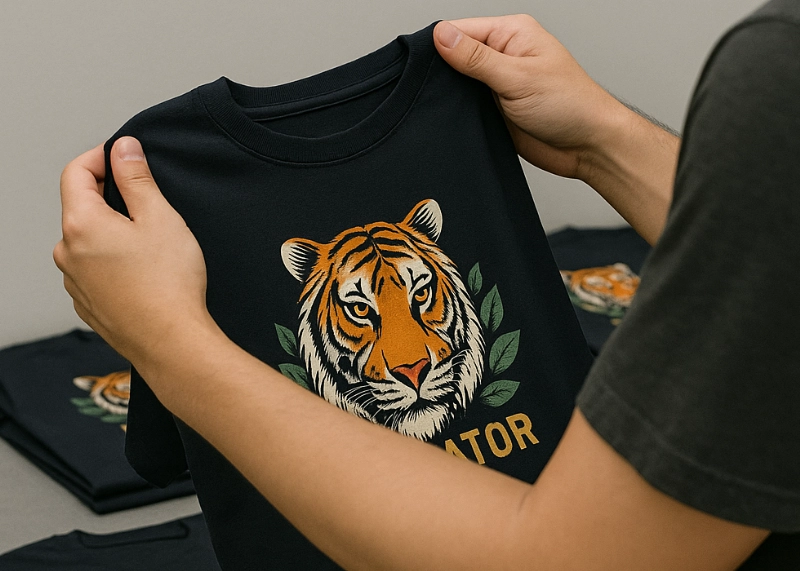
In today’s screen printing business, the quality of DTF (Direct to Film) work is immediately noticeable to customers as soon as they remove the product from the bag. Factors such as “sharpness of the design, color vibrancy, wash durability, adhesive adhesion, and surface consistency” all determine whether customers will return for repeat purchases. Therefore, before every item leaves the factory door, having a systematic QC process for DTF work is crucial for professional screen printing shops.

This article will provide a detailed explanation, starting from the concept, team preparation, point-by-point inspection methods, tools to use, signs of defective work, preventive measures, and standards that the shop should set to ensure consistent quality, even with a high volume of orders each day.
1. Why DTF QC is More Important Than You Think
Many screen printing shops believe that “clear printing is enough,” but in reality, DTF work can have minor defects that may occur, such as adhesive not melting evenly, film peeling off partially, color deviation, or hot spots and cold spots in the heat press. If a defective product slips through and reaches the customer just once, trust will drop immediately, affecting repeat orders in the long term.
Good QC has the following benefits:
- Reduces rework, saving labor and material costs
- Increases production time accuracy
- Reduces claim and return rates
- Establishes a single standard for the team
- Makes the shop competitive against rivals
- Enhances the professional image of the brand
Having a clear QC system is a worthwhile investment to ensure the long-term sustainability of the screen printing shop.
2. Understanding the Nature of DTF Work Before Starting QC
To QC correctly, it is necessary to understand that DTF has three direct components that affect quality:
- Ink: Determines sharpness, color, brightness, and surface adhesion
- Film: Hot film / cold film / matte film / glossy film, with different adhesive solvents
- Hot Melt Powder: Ensures the design adheres to the shirt; if the adhesive does not melt evenly, the design will peel off
Heat + Pressure + Time: The final factor that completes the process; if not precise, the work will be defective.
QC checks must cover all four components, not just “checking if it adheres.”
3. Comprehensive DTF Quality Control Steps That a Shop Should Use
The following are the actual quality control steps used by professional screen printing shops. These can be immediately adapted for use.
3.1 Pre-Press Checking
- Check the sharpness of the design
Look at the fine lines to see if they are broken or missing
Check the gradient areas to see if there are any abnormal color bands
Check the edges of objects to see if there are ink specks or splatters
- Compare the actual colors to the original file
Red, blue, green, and purple tend to be prone to errors
If multiple machines are used, ensure that the color tone is consistent across the shop
- Check the evenness of the adhesive
The adhesive should be evenly spread, not clumped into lumps
There should be no voids or dust on the film surface
Use a light to check the coverage of the adhesive
- Check the dryness of the ink
The ink should be completely dry and not smudge
If the ink is still wet, it indicates that the UV curing temperature or heater setting is insufficient
3.2 Press Checking
This step determines the “future of the work” as the three key factors—temperature, pressure, and time—must be accurate.
- Check the heating
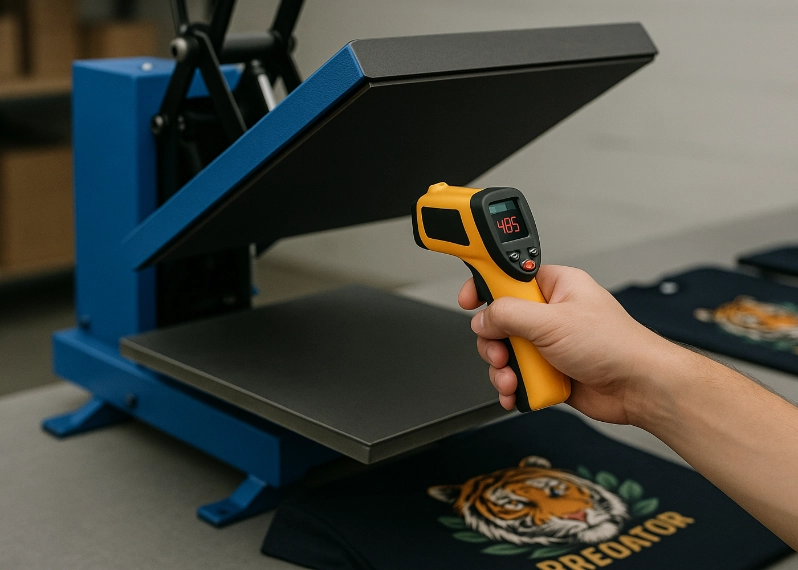
Use a laser thermometer to check the heating element
The temperature may vary by 5–15 degrees, which could cause lifting if not checked
Immediate adjustments must be made for hot and cold spots
- Check the pressure
For press machines with manual pressure settings, ensure the pressure is consistent for each job
For automatic machines, test multiple cycles to ensure consistency
- Check the pressing time
Time must be measured accurately, not estimated
Too short a time = adhesive does not fully melt, too long = film warps, colors fade
- Check the film lifting
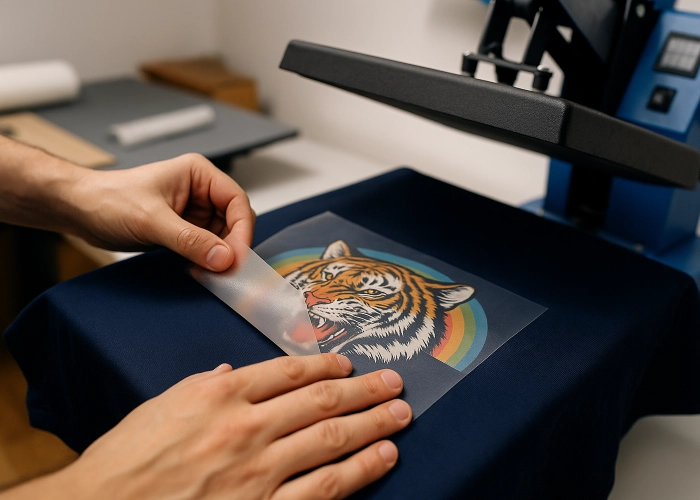
Hot film must be lifted while still hot
Cold film must be allowed to cool before lifting
Check for any areas that do not lift completely
3.3 Post-Press Checking
After pressing, this is a critical quality control phase that determines whether the work passes or fails.
- Check the adhesion of the design
Use a finger to pull at the edges or corners of the design
A good design will not lift or crack
If the edges of the work lift by 1–2 mm, re-press that area
- Check the glossiness of the surface
If the film is matte but the surface is glossy, it indicates excessive heat
If the film is glossy but the surface is matte, it indicates insufficient heat
- Check for creases or shrinkage in the fabric
Fabric wrinkles due to excessive heat
Fabric creases along the design indicate excessive pressure
- Check the evenness of the solid color areas
Large solid color areas often have speckling issues
If there are specks like dust, clean the printhead and curing machine
- Check the smoothness of the design surface
Gently run your hand over the surface
Good work will feel smooth, not gritty
If it feels gritty, it indicates too much adhesive or insufficient melting
4. Stress Testing Methods
Many shops skip this step, but professional shops test before sending every time, especially for large orders or expensive shirts.
4.1 Stretch Test
Use your hands to stretch the printed fabric.
If the print cracks into lines = insufficient heat or too little adhesive
If it cracks heavily = low-quality ink
4.2 Fabric Rub Test
Gently rub the fabric with your hand to see if the print fades or becomes dull.
If it fades = the ink did not dry before heat pressing or the heat press was not consistent
5. Signs of DTF Work That Need Immediate Correction
5.1 Raised Print Edges
Caused by insufficient adhesive melting or insufficient heat
5.2 Color Distortion
Caused by old ink, clogged nozzles, or incorrect color settings
5.3 Rough Surface
Caused by adhesive clumping
5.4 Hot and Cold Spots on the Work
Caused by uneven heat plates
5.5 Incomplete Film Removal
Caused by incorrect film type or insufficient heat
Do not send work in this condition
- Common Causes of DTF Work Failure and Prevention Methods
6.1 Using the Wrong Film for the Shirt
Prevention: Choose film according to the fabric type, such as hot film for smooth fabrics and cold film for thick fabrics
6.2 Uneven Adhesive
Prevention: Shake the adhesive before each use and use an automatic adhesive sprayer
6.3 Insufficient Heat
Prevention: Check the temperature every morning and evening and test sample work for each batch
6.4 Deteriorated Ink Quality
Prevention: Ink must not be expired and should not be mixed with different brands in the same machine
6.5 Dust on the Film or Shirt
Prevention: The printing room must be clean; do not place film directly on bare tables
7. Creating QC Standards That the Team Can Follow
7.1 Define Clear QC Report Forms
Specify topics such as clarity, color, adhesive, consistency, surface quality, and durability. Have team members check off whether each item passes or fails and sign each report.
7.2 Define Roles
Separate the roles of the printer, the heat presser, the QC person, and the packer to avoid self-inspection.
7.3 Create Wall-mounted QC Manuals
Make short, easy-to-read topics such as temperature settings, time settings, hot spot locations, film removal methods, and how to fix defective work.
7.4 Take Photos of Defective Work as Examples
Use these as “references” for new team members to see what “pass” and “fail” look like.
8. Final Steps Before Shipping to Customers
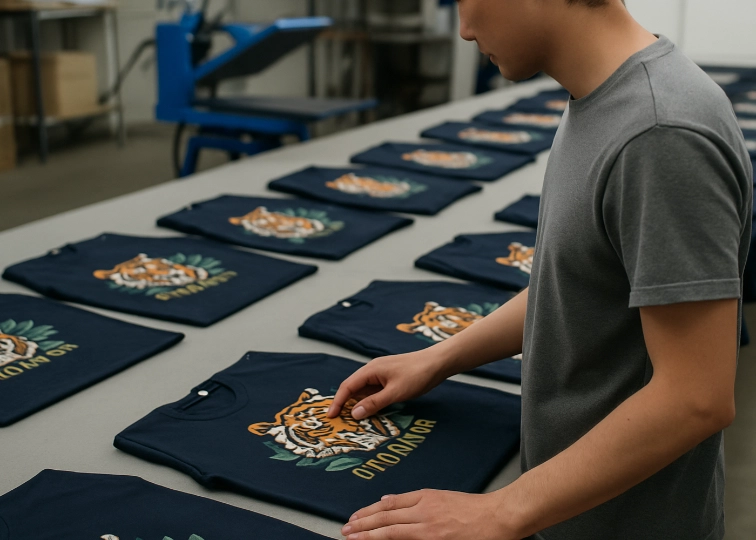
8.1 Inspect Each Print by Eye
Do not assume that if one print looks good, the entire batch is the same.
8.2 Final Press
Increase smoothness, fit, and durability by pressing again for 5–10 seconds using a Teflon sheet.
8.3 Check for Loose Threads
Some brands may have loose threads sticking out, which should be trimmed before shipping.
- Why Customers Choose to Buy from Stores with Good QC
Customers ordering printed shirts for events, team shirts, or for sale care deeply about quality because the shirt is something the wearer sees every day. If a store can consistently deliver high-quality work, it will reap many benefits, such as repeat orders, good reviews, reduced costs from fewer corrections, and increased profits, making it competitive with larger stores.
Quality is the selling point of a screen printing store.
Tips for Creating Professional-Quality DTF Work
Check the film before pressing, inspect the adhesive, color, and clarity, and control heat, pressure, and time accurately. Inspect each item after pressing, not randomly. Test durability before shipping, especially for large orders. Maintain QC standards that the team can follow, keep samples of defective work as lessons, and package professionally to reduce shipping risks.
A strong QC system will help your screen printing store grow and build a reputation over the long term, as good work is something customers can truly experience and cannot be deceived by like advertisements. Creating quality from start to finish is the heart of running a screen printing business in the DTF era.
Ready to Print Custom DTF with Screen168 Bangkok?
Single pieces to bulk wholesale. Free artwork file check and instant online pricing 24/7.
🚀 View Sizes, Prices & Order Online→