
100% Safe Screen Printing Guide

In the world of creating unique screen-printed designs, the screen room is a space of imagination where patterns are brought to life on fabric. However, behind the beauty of the designs and colors, there may be “silent dangers” lurking.
What are silent dangers? In a screen-printing shop or any textile printing area, workers frequently encounter “loud machine noise,” “chemical fumes from solvents,” and “ink or powder dust.” All of these factors can have long-term health effects if proper precautions are not taken.
This article will introduce you to these dangers and the correct ways to protect yourself in a screen-printing room, providing practical advice to ensure a safe working environment and promote long-term health for screen printers, allowing them to work safely and creatively without worrying about their health.
Silent Dangers Not to Be Overlooked in the Screen Room
Before we look at prevention methods, let’s first understand how these silent dangers can affect our bodies.

1. Noise Hazards:
Various machines in the screen room generate different levels of noise. Most of the noise in the screen room comes from DTF printers, block presses, heat presses, and air blowers, some of which can produce noise levels exceeding 80 decibels. If exposed to such high noise levels daily, it may lead to chronic hearing loss or gradual hearing loss, and ultimately pose serious health risks.
Permanent Hearing Loss: Cumulative damage from destroying inner ear hair cells.
Tinnitus: A constant ringing or buzzing sound in the ears.
Stress and Fatigue: Noise can disrupt concentration and lead to accumulated stress.
Communication Issues: Difficulty in hearing and communicating with colleagues, leading to misunderstandings and communication breakdowns.
2. Chemical Fumes/Vapors:
Printing inks, solvents, block cleaners, stain removers, and other chemicals used in the screen-printing process often emit volatile organic compounds (VOCs) that can irritate the respiratory system. Long-term exposure to these fumes can cause dizziness, headaches, or chronic respiratory irritation.
Respiratory Irritation: Nasal irritation, coughing, sore throat, and difficulty breathing.
Allergic Reactions: Itchy skin, dermatitis, red eyes, and tearing.
Nervous System Issues: Dizziness, nausea, headaches, or even fainting (in severe cases).
Internal Organ Damage: Some chemicals may affect the liver, kidneys, or reproductive system if exposure is prolonged.
3. Color Dust and Particulates:
Whether it’s dry ink dust, glue powder, or small particles from fabrics and the screen printing process, these can float in the air and be inhaled. Color dust and glue powder used in DTF systems, though seemingly safe, can enter the lungs and accumulate in the body over time if the particles are small (less than PM10) and airborne. Especially with hot-melt glue powder containing synthetic chemicals, frequent exposure without protection can lead to long-term skin irritation or allergies.
Irritation of the respiratory system: coughing, sneezing, phlegm
Allergies and asthma: trigger allergic reactions or worsen symptoms in asthma patients
Lung diseases: long-term accumulation of dust in the lungs can lead to chronic lung diseases such as pneumoconiosis.
Preventing Hazards in the Screen Printing Room
This requires a combination of measures, including improving the environment, using and storing equipment, and changing the behavior of screen printers.
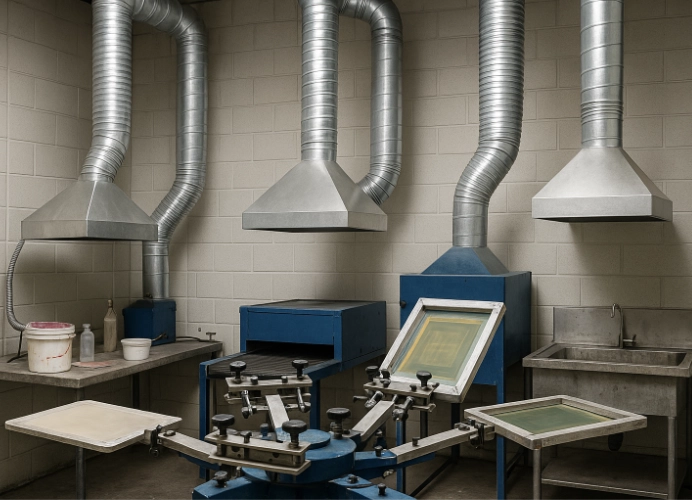
1. Ventilation is the Key
This is the most important aspect in reducing the concentration of chemicals and dust in the air.
First, install local exhaust ventilation (LEV) systems: install ventilation systems above areas where chemicals are used or where dust is generated, such as ink mixing stations, block washing, or drying machines, to directly remove contaminated air before it spreads throughout the room.
General ventilation: large exhaust fans or air conditioning systems that circulate air effectively should be used to bring in clean air from outside and circulate it consistently in the room.
Opening doors and windows: if the screen printing room can be opened, keep the doors and windows open to increase air circulation when there is little external dust.
2. Personal Protective Equipment (PPE)
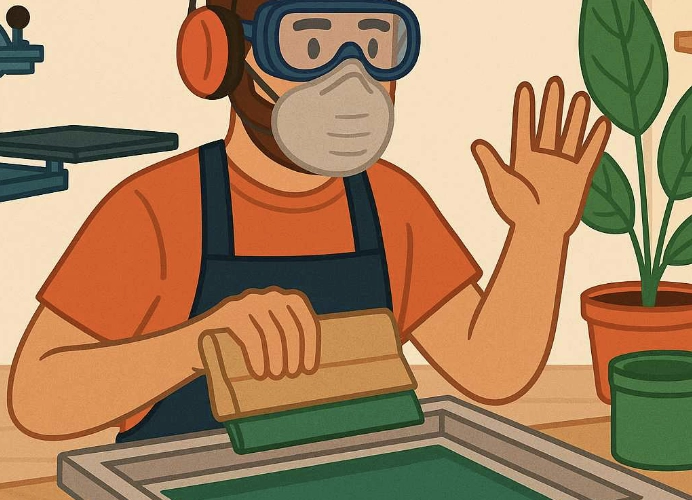
PPE is the last line of defense but is crucial in protecting the body. Protective equipment should cover the following areas:
Respiratory Protection
Respirator with Chemical Cartridges: For work environments with strong chemical odors, such as cleaning blocks, mixing ink, or using solvents, a respirator that can filter organic vapor should be used. These respirators have specific filters that absorb chemicals. Use activated carbon masks or VOC filters specifically, not regular medical masks which do not filter chemicals.
Dust Mask/N95: For work environments with dust, use an N95 mask or a dust mask that effectively filters small particles.
Use exhaust fans to vent air outside the room or use air purifiers with HEPA and carbon filters.
Organize work procedures, such as pouring chemicals or opening ink containers in areas directly under exhaust fans to remove fumes.
Use a HEPA filter vacuum that can capture PM2.5 particles and operate it during printing. Do not forget to turn it on.
Wear an N95 mask when working with glue powder and avoid using regular dust masks which do not protect against fine dust.
Eye Protection
Safety Goggles/Glasses: Wear these at all times in the screen room to protect against chemical splashes or ink and dust entering the eyes.
Hearing Protection
Earplugs or Earmuffs: For areas with noise levels over 85 decibels, use appropriate hearing protection to reduce noise.
Use industrial earplugs or earmuffs of high quality. These can reduce noise by 20-35 dB.
Position machinery at least 2-3 meters away from workstations and use sound-absorbing materials on walls or ceilings. Do not sit too close to machinery.
Use quiet industrial fans or select machinery that specifies noise levels in the manual to check noise levels.
Tip: Pay attention if you hear a “ringing” or “muffled” sound after work, which indicates your ears are fatigued from noise. Use earplugs the next day immediately.
Skin Protection
Gloves: Wear chemical-resistant gloves, such as nitrile gloves, to prevent direct contact with chemicals.
Protective Clothing: Wear long-sleeved shirts and pants or coveralls to reduce direct contact with chemicals and dirt. Focus on breathable outerwear that is not too thin. Wear safety shoes to protect against chemical or ink spills on feet.
Wash hands thoroughly after handling glue powder or ink and avoid touching your face directly while working.
If you frequently experience coughing, sneezing, or eye irritation, check the air quality in the area with a PM2.5 monitor.
3. Safe Chemical Management:
Organized Storage: Store chemicals in tightly sealed containers with clear labels, and segregate them according to their type. Keep them away from heat sources or sparks. Remember to store liquids and chemicals in designated cabinets or tightly sealed containers after use to minimize evaporation during the day.
Read Labels and SDS (Safety Data Sheet): Understand the safety information of each chemical, including usage methods, first aid procedures, and disposal of used materials.
Use Only What Is Necessary: Use chemicals in appropriate quantities to avoid excessive evaporation and waste during work.
Waste Disposal: Dispose of chemicals and contaminated materials according to regulations and laws to prevent environmental and health impacts.
4. Personal Hygiene:
Wash Hands Thoroughly: Wash hands with soap and water after handling chemicals and before eating.
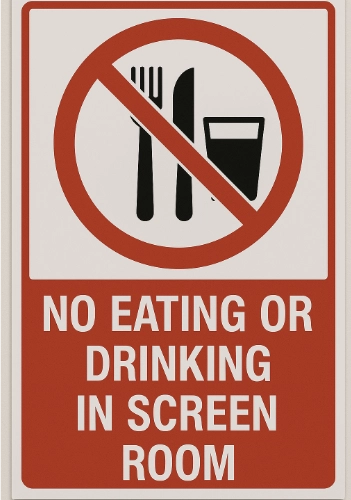
No Food or Drink in the Screen Room: To prevent chemical contamination or airborne particles from falling onto food.
Body Cleaning: Shower and change clothes immediately after work to wash off chemicals and dust from your body and prevent bringing toxins home.
5. Organizing and Cleaning the Screen Room:
Maintain Order: Arrange equipment and chemicals neatly to reduce clutter and the risk of tripping or spills.
Regular Cleaning: Clean work areas, machines, and surfaces regularly to prevent the buildup of dust and chemical residue.
Maintain Print Heads and DTF Machines: For DTF printers, it is crucial to keep the print heads clean and free from clogs, as issues with the print head can lead to poor screen printing quality (broken lines, color distortion), wasting time and materials. Regular cleaning of the print head according to the machine’s manual will extend its lifespan and maintain print quality.
Working in a screen printing room requires serious precautions against noise, chemical odors, and dust. Neglecting these can lead to long-term health issues that are difficult to resolve.
Investing in good ventilation systems, appropriate personal protective equipment, and training employees on safety is the best investment for both employee health and business longevity.
Remember, the good health of the screen printer is crucial for consistently and sustainably creating quality work.
While screen printing or printing designs may seem safe and creative, many people are unaware of the long-term health risks associated with noise, chemical odors, and dust. Investing in appropriate protective equipment, such as VOC filters, air purifiers, or earplugs, is not just about protecting oneself today but also about extending a safe and long-lasting career.
Ready to Print Custom DTF with Screen168 Bangkok?
Single pieces to bulk wholesale. Free artwork file check and instant online pricing 24/7.
🚀 View Sizes, Prices & Order Online→