
Monthly Maintenance Tips for DTF Printer to Extend Lifespan
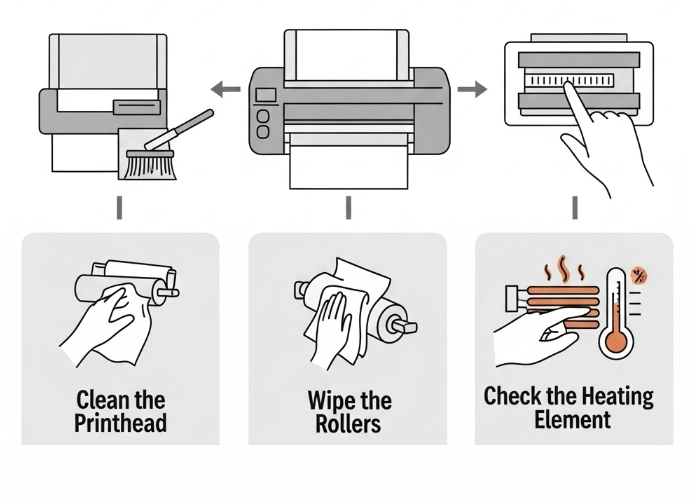
DTF Printer Maintenance: Monthly Care Tips
A DTF (Direct to Film) printer is a crucial tool for printing businesses. Regular maintenance is essential, especially monthly upkeep, to prevent future issues and extend the lifespan of the machine. This article highlights key points to consider when cleaning and maintaining your DTF printer monthly.

A DTF machine includes printheads, ink, film, and a complex ink circulation system.
Without consistent maintenance, issues such as clogged printheads, faded colors, misprints, and production delays can arise. Regular cleaning and maintenance are necessary to extend the machine’s lifespan and reduce repair costs.
1. Cleaning the Printhead and Ink System
The printhead is the most delicate part.
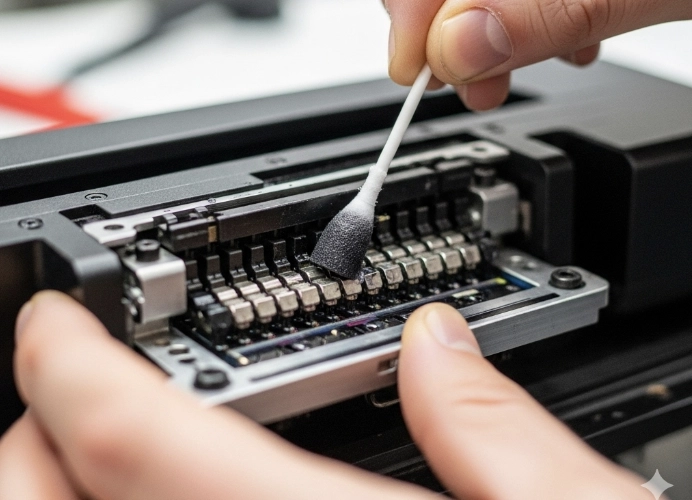
Common issues: Clogged printheads, off-color prints, missing lines, and ink not flowing properly. These issues often stem from dried ink or accumulated dirt, particularly with white ink, which tends to settle easily.
Maintenance Tips:
- Use a DTF-specific cleaning solution.
- Perform head cleaning through the software (basic).
- For severe clogs, gently inject cleaning solution with a syringe (do not apply too much pressure).
Techniques:
- Conduct nozzle tests at least once a week.
- Avoid leaving the machine idle for more than three days.
- Keep the printhead moist with ink or cleaning solution.
Tasks:
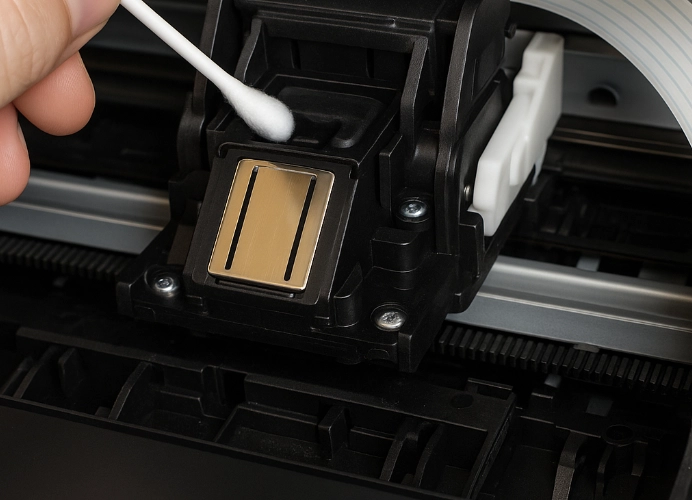
- Clean the printhead: Use specialized cleaning equipment and solution to remove any residual ink and debris from the printhead.
- Clean the wiper blade and holder: Remove ink residue from the wiper blade to ensure it effectively clears excess ink from the printhead.
- Inspect and clean the ink delivery system: Check the ink lines and tanks for dirt or air bubbles. Clean and purge air from the system to prevent inconsistent ink flow.
2. Cleaning the Roller and Drive System
Common issues: Misaligned DTF film, print marks, and film jams during printing. These issues arise from dust and ink residue accumulating on the rollers.
Tasks:
- Clean the pinch roller: Use a microfiber cloth soaked in isopropyl alcohol to gently clean the roller, removing ink and dust.
- Inspect and clean the shaft: Ensure there is no dust or debris on the shaft to maintain smooth printhead movement.
3. Cleaning the Adhesive Heating System and Filters
Common issues: Inconsistent adhesive application, adhesive clumping, and uneven prints due to DTF adhesive and debris clogging the system.
Tasks:
- Clean the adhesive filter: Check and clean the filter for any hardened adhesive residue to ensure smooth adhesive flow.
- Clean the adhesive heating system: Wipe down the heating area to remove any adhesive residue that may have melted and adhered.
Areas prone to DTF adhesive dust accumulation include the Powder Shaker & Oven.
If not cleaned → the machine overheats, adhesive clumps.
Maintenance Tips:
- Use a small brush to sweep excess adhesive daily.
- Remove the tray and clean with warm water or cleaning solution monthly.
- Check the heater sensor to ensure it is functioning properly.
4. Software Inspection and Maintenance
Common issues: Printing errors, color shifts, and failed communication with the machine. These issues may arise from outdated drivers or incorrect settings.
Tasks:
- Update software and drivers: Check and update the drivers and software controlling the printer to the latest version to ensure efficient machine-computer communication.
- Calibrate settings: Verify printhead and color settings according to the manufacturer’s guidelines to achieve the highest print quality.
5. Capping Station and Wiper
The capping station seals the printhead when the machine is idle and cleans the printhead.
If ink residue accumulates, it can cause the printhead to become dirty and clogged easily.
Maintenance Tips:
- Gently wipe with a Q-tip soaked in cleaning solution.
- Check the capping station’s rubber to ensure it remains soft and not hard.
- Replace parts every 3–6 months, depending on usage.
6. Ink Tubes and Tanks
DTF ink is viscous and can accumulate, leading to clogs.
Risk areas: Ink tubes → printhead, air bubbles in the tubes.
Maintenance Tips:
- Gently shake the ink tank daily to prevent sedimentation.
- Ensure tubes are not kinked.
- Clean the system with cleaning solution monthly.
Benefits: Consistent colors, optimal printhead performance.
7. Pump System
The pump draws ink and cleaning solution.
If the pump clogs, the printhead cannot draw ink.
Maintenance Tips:
- Check suction power monthly.
- Use the “Ink Suction” mode to clean with cleaning solution periodically.
- Replace the pump immediately if it starts making noise or suction power drops.
8. Rollers and Film Feeding System
The film feeding system must be clean and not slippery.
Common issues: Misaligned film, skewed prints.
Maintenance Tips:
- Use a microfiber cloth to clean the rollers.
- Avoid using harsh chemicals as they can degrade rubber.
- Check film tension monthly.
9. External Structure and Surrounding Area
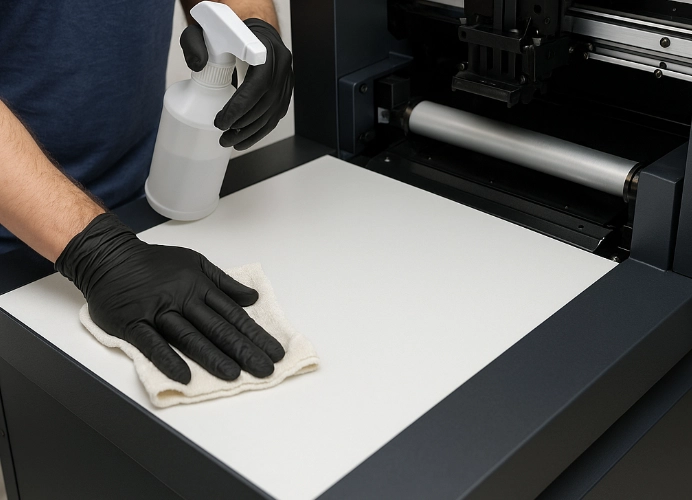
Typically, only the internal area is maintained, but the surrounding area is equally important for t-shirt printing. Dust and fibers can drift into the printhead, so maintaining cleanliness around the machine is crucial.
Maintenance Tips:
- Cover the machine when not in use to prevent small dust particles from settling.
- Regularly clean the worktable and surrounding area to keep it clean and free of debris.
Preventive Maintenance Techniques
- Schedule monthly cleaning and maintenance.
- Keep a log of cleaning and replaced parts.
- Use high-quality ink and cleaning solutions.
- Avoid overworking the machine.
- Check electricity and UPS to prevent power surges.
Summary
Monthly maintenance of your DTF printer not only prevents potential issues but also extends the machine’s lifespan and ensures consistent print quality. Consistent maintenance will help reduce repair costs and improve production efficiency.
Ready to Print Custom DTF with Screen168 Bangkok?
Single pieces to bulk wholesale. Free artwork file check and instant online pricing 24/7.
🚀 View Sizes, Prices & Order Online→