
Why Is Your DTF Screen Printing Peeling?
In the business of screen printing with Direct to Film (DTF) technology, the issue of printed work peeling off is a major problem that causes dissatisfaction for both producers and customers. In addition to wasting time and materials, it also affects the reputation of the screen printing shop.

The causes of peeling work are numerous, ranging from incorrect heat press settings to incompatible fabric-film materials, or even neglected pre-press preparation steps.
This article will introduce you to the “reasons” why DTF work peels, along with “tips” for perfect heat pressing to ensure that the work adheres firmly, is durable, and looks professional.
1. Meaning of DTF **and Why Heat Pressing Matters
DTF technology involves printing a design onto a PET film, then dusting it with adhesive powder, and then “heat pressing” to transfer the design from the film to the fabric through pressure, heat, and time.
Therefore, the heat pressing (heat press) step is the heart of the adhesion process. If the settings are incorrect or the fabric preparation is poor, there is a risk that the design will peel off easily.
Understanding that DTF heat pressing “is not just pressing and finishing,” but also controlling temperature, time, and pressure appropriately, is crucial for the quality of the work.
2. Key Factors That Cause DTF Prints to Peel
Below are the key factors, along with explanations of their effects:
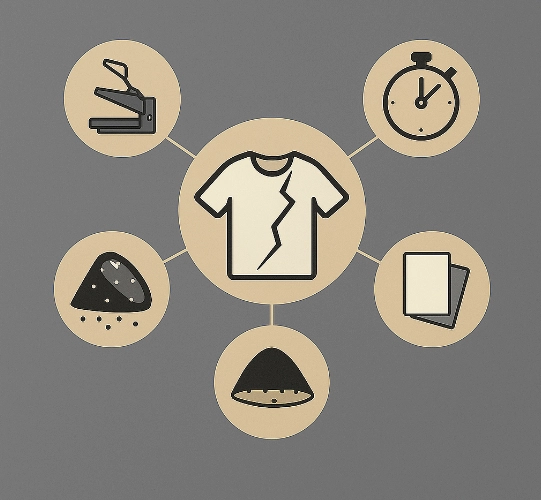
2.1 Temperature
If heat pressing is done at too low a temperature, the adhesive on the film or powder may not be fully activated, leading to incomplete adhesion and an increased chance of the print peeling off.
Conversely, if the temperature is too high, it may damage the fabric, burn the print, or cause the adhesive to ooze out, resulting in hard spots or broken seams.
2.2 Pressure
Pressure ensures that the film adheres properly to the fabric. If the pressure is too low, or if there are areas where the fabric and film do not fully touch, the adhesion will be incomplete, and the areas with less pressure may peel off first.
However, if the pressure is too high on thin or complex materials, such as fabric with channels or zippers, it may cause indentations or uneven contact, leading to poor adhesion in some areas.
2.3 Dwell Time
The time spent pressing the fabric is another crucial factor. If the dwell time is too short, the adhesion will be incomplete, and the adhesive may not be activated or pressed firmly enough, making the print more likely to peel off.
2.4 Fabric Preparation
The fabric should be pre-pressed or pre-ironed to remove moisture, wrinkles, and dust before printing, providing a smooth surface for adhesion.
If the fabric is damp, dusty, or has residue from washing, it will hinder the adhesion of the print.
2.5 Transfer Film and Adhesive Powder
The quality of the DTF film and adhesive powder directly affects the outcome. Using low-quality film or adhesive powder that does not dissolve or adhere well increases the likelihood of the print peeling off or coming off after washing.
2.6 Fabric Type and Compatibility
Not all fabrics are suitable for DTF pressing. For example, pre-printed fabrics with a coating, cotton/polyester blends with high elasticity, or fabrics with rough surfaces may result in poor adhesion of the print.
2.7 Peel Method
Some films are designed for hot-peel (peel while hot) or cold-peel (peel when cool). Using the wrong method can cause the print to peel off.
2.8 Equipment and Maintenance
A heat press that does not heat evenly, or a worn-out press plate or damaged silicone on the press plate, can result in inconsistent pressure or temperature, leading to poor adhesion in some areas.
- Tips for Perfect DTF Heat Pressing
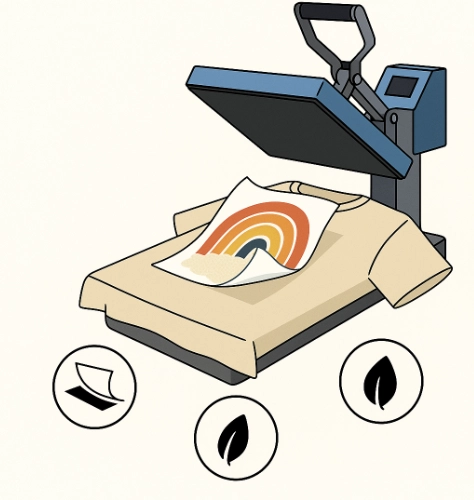
After understanding the causes, here are detailed methods for “setting and practicing” to ensure your DTF work adheres firmly and lasts long.
3.1 Setting Temperature, Pressure, and Time
Generally, for cotton or cotton-polyester fabrics, start with a temperature of around 160°C (320°F) to 175°C (350°F) and a time of approximately 12-15 seconds (depending on the film and fabric).
For polyester or sensitive blends, reduce the temperature and time to avoid fabric damage.
If the print does not adhere, try increasing the pressure first, then adjust the temperature (if the initial pressure did not work).
3.2 Using a Protective Sheet
Directly pressing the fabric without a protective sheet (such as a Teflon sheet or parchment paper) may cause the fabric to overheat, resulting in oily marks or adhesive layering, causing the print to crack.
3.3 Pre-Pressing the Fabric
Press the fabric for 5-10 seconds before placing the film to remove moisture, wrinkles, and dust, providing a smooth surface for adhesion.
3.4 Checking and Maintaining the Heat Press
Ensure the press plate heats evenly across the surface, without cold or hot spots.
Replace worn-out silicone or damaged press plates to maintain consistent pressure, preventing inconsistent adhesion.
- Quality Control Steps Before Delivering to Customers
To ensure that the work from your shop does not peel and is of high quality, follow these steps:
Test press on fabric of the same type as the actual work, using the set parameters.
Check around the print by wiping or rubbing to ensure no parts are lifting or peeling off.
Test wash (or use cold water spray) to check if the print adheres well.
Take photos of the work before delivery, along with care instructions for the customer.
- Post-Delivery Care Instructions for DTF Work
Even if the pressing is done well, improper use by the customer can cause the work to peel. Therefore, providing “Care Instructions” can help reduce issues and enhance your shop’s professional image.
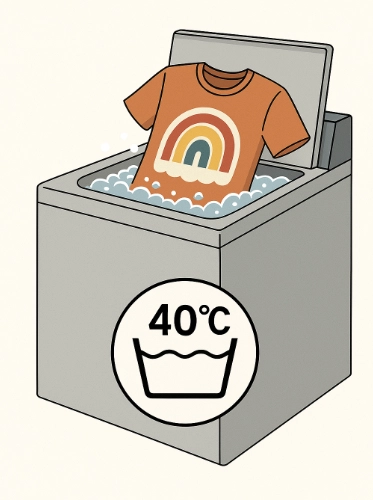
Wash with cold or warm water, not exceeding 40°C.
Turn the garment inside out before washing to minimize friction on the print.
Avoid harsh detergents or bleach, as they can weaken the adhesion of the print.
Do not iron directly on the print; use a cloth underneath if necessary.
Avoid using harsh chemicals on the fabric, such as chlorine.
- Special Tips from Professional Screen Printing Shops
Recommend customers to choose high-quality fabrics without high coatings, as good fabric equals good work.
Use DTF materials from reputable manufacturers with clear specifications and technical data sheets.
Document optimal pressing settings (fabric × film × design) as a reference and establish standard operating procedures (SOPs) in the shop.
Train staff to observe “lift marks / edge cracks / air bubbles” before peeling the film.
For detailed work, such as thin letters, reduce the temperature slightly but increase time and pressure to prevent lifting.
Have customers try on and wash the item once before shipping for work sent via mail to prevent peeling during transit.
- Summary
DTF prints peeling off is not a matter of luck but a result of technical factors, material preparation, pressing process, and post-delivery care. Therefore, paying attention to every production step, such as setting pressing parameters (temperature, time, pressure), preparing the fabric, selecting materials, using high-quality film and adhesive powder, peeling the film correctly, and providing customer care instructions, will result in work that adheres well, withstands washing, lasts long, and satisfies customers, contributing to the long-term growth of your brand.
Ready to Print Custom DTF with Screen168 Bangkok?
Single pieces to bulk wholesale. Free artwork file check and instant online pricing 24/7.
🚀 View Sizes, Prices & Order Online→