
Why is the Black Color Not Jet Black After DTF Printing?
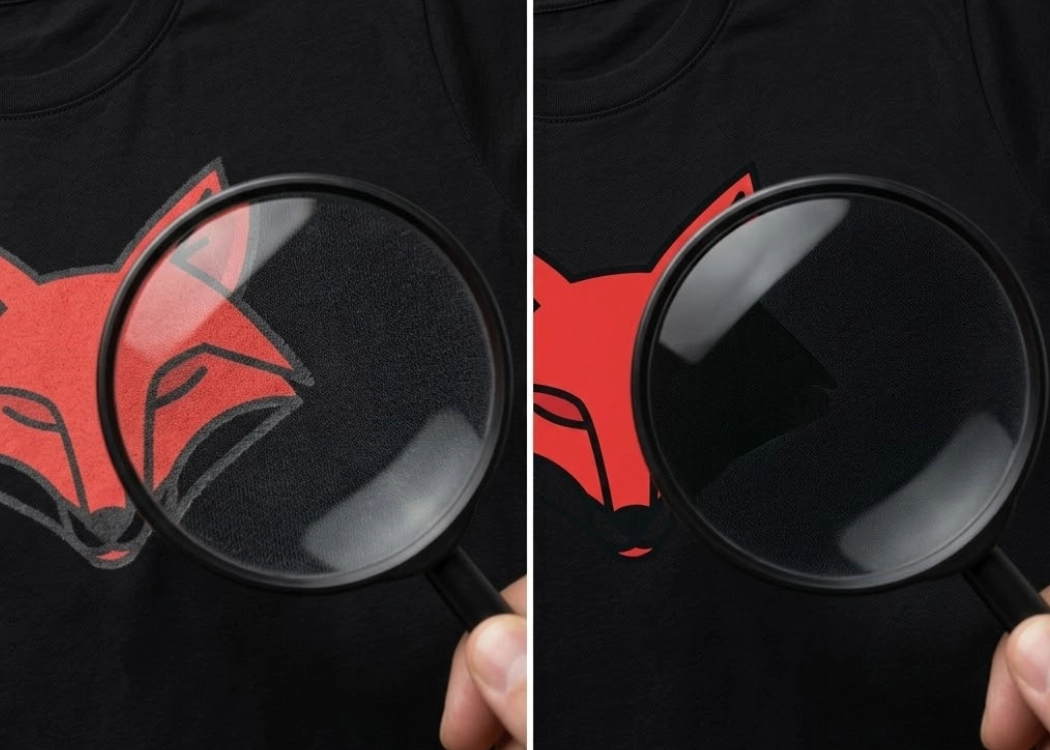
“Why does the black color on the printed t-shirt look grayish and not as deep black as on the screen?” This is a common question customers often ask print shops. In the world of DTF (Direct to Film) printing, achieving a deep black, or what is known as Super Black, is not a coincidence but rather the result of proper file management and accurate printer settings. This article will guide you through understanding why black doesn’t look black and how to solve the problem to instantly elevate the quality of your prints.
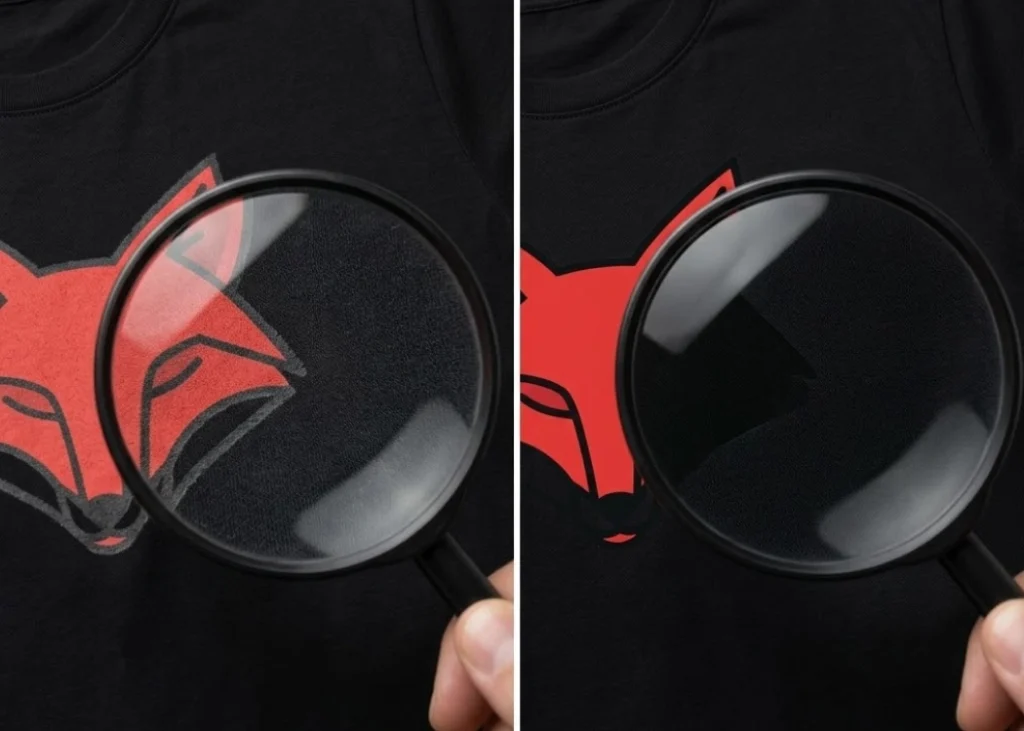
1. The Real Reason: Why the Black on Screen and on the T-Shirt Look Different?
The Difference Between RGB and CMYK: The primary reason is the “color mode.” Computer or mobile screens display colors in RGB (Red, Green, Blue) mode, which is a combination of light to produce white. In contrast, DTF printers use CMYK (Cyan, Magenta, Yellow, Black) mode, which is a combination of ink particles to produce black.
RGB Black is achieved by turning off all light, resulting in a deep black on the screen. However, CMYK Black, if set to K=100% (Black 100%), will appear as a dark gray or brownish black, not the deep black expected. Additionally, there are issues with the absorption of adhesive and fabric. In DTF, ink is not printed directly onto the fabric but onto a film, which is then dusted with hot-melt adhesive powder. If the black ink is too thin or the white ink underbase is improperly set, light can penetrate through the black ink layer to the adhesive or fabric, making the black look “washed out” or “floating.”
2. File Management Techniques: How to Set Up Rich Black for a Deep Black
To achieve a truly deep black, graphic artists should stop using K=100% alone and instead use the Rich Black technique, which involves mixing other colors to increase the density of the black ink. The recommended Rich Black formula for DTF work is Cyan (C): 60%, Magenta (M): 40%, Yellow (Y): 40%, and Black (K): 100%. Mixing C, M, and Y in the right proportions will ensure the ink layer is thick enough to block light, making the black appear rich and glossy.
3. Managing White Bleed in Black Prints (Choke Technique)
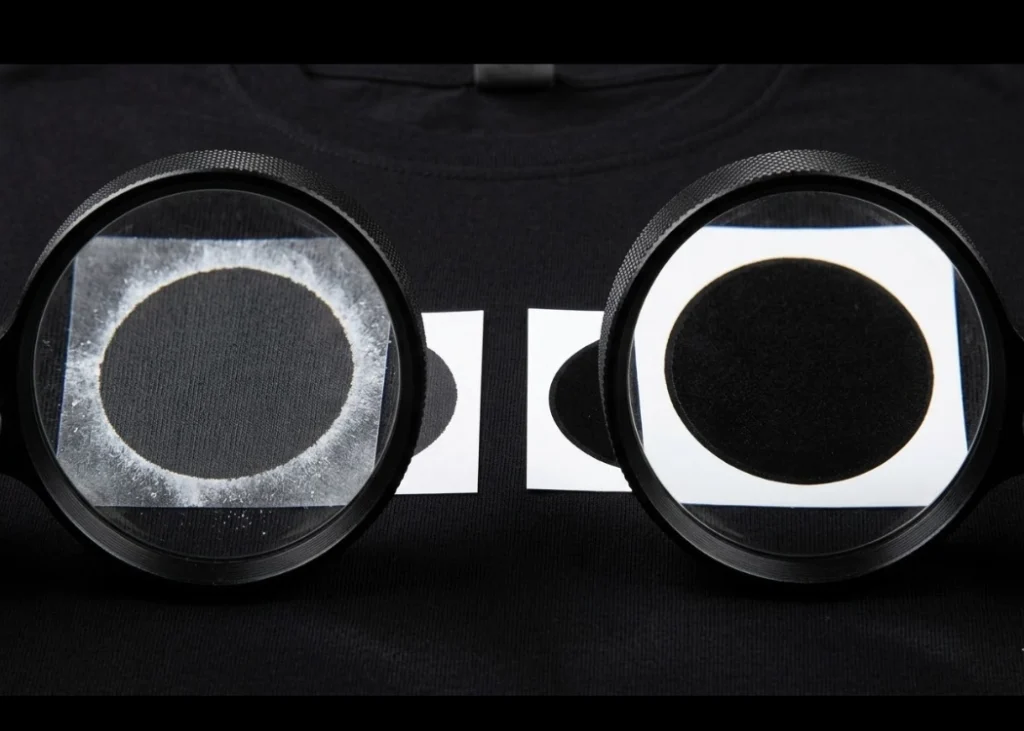
When you emphasize black, a common issue is white bleed, where the white underbase ink might spray beyond the black ink edges, making the print look messy. The solution is to use the Choke technique, instructing the RIP program to reduce the white ink edge by about 0.05 - 0.15 mm compared to the black ink edge. This ensures the Rich Black ink covers the white ink completely, making the print sharp and deep black to the edge.
4. Printing Techniques: Setting Up the Printer and RIP Program
In addition to file preparation, the printing process is equally important. Ensure the black ink head (K) is functioning at 100% without any missing lines, and use a color profile (ICC Profile) specifically tuned for the shop’s ink and film to ensure the printer dispenses the optimal amount of black ink. For black and white photo prints, using halftone or appropriate screen dots can help create a smooth gradient from black to gray, avoiding harsh patches or speckles.
5. Tips for Printing Black on Dark Fabric
Printing black designs on black shirts is highly challenging. If done poorly, the design can blend into the shirt or appear as a hard, rubbery patch. Adding a slight outline can help the black design stand out on black shirts. Using a thin dark gray or silver outline can create depth. Also, control the heat during pressing to avoid the black ink from “sinking” or distorting due to excessive heat.
6. Conclusion: Perfect Black Starts with Attention to Detail
Achieving a deep black in DTF printing is not difficult if you understand the principles. Switch from Black 100% to Rich Black in the design phase and manage the white underbase with the Choke technique for sharpness.
Ready to Print Custom DTF with Screen168 Bangkok?
Single pieces to bulk wholesale. Free artwork file check and instant online pricing 24/7.
🚀 View Sizes, Prices & Order Online→